
For One-Time Users
DownloadYouBike APPApp StoreGoogle play
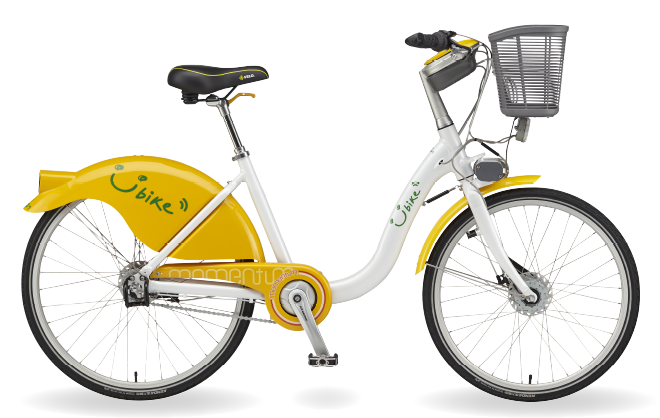

How to rent a bike
1st Press, 2nd Swipe, 3rd Ride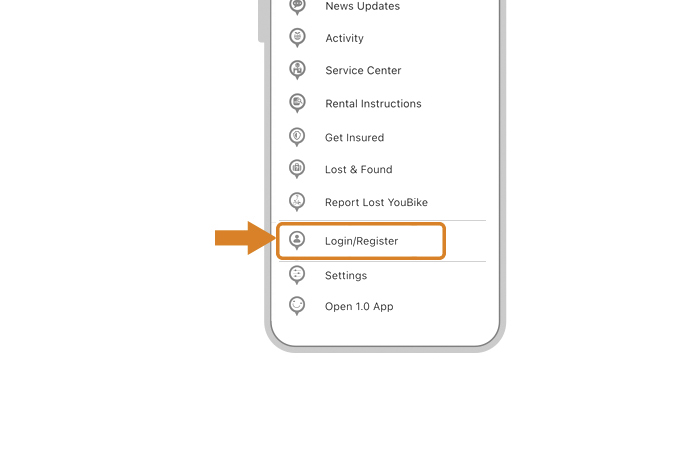
Open the side menu on the YouBike app and click on "Login / Register".
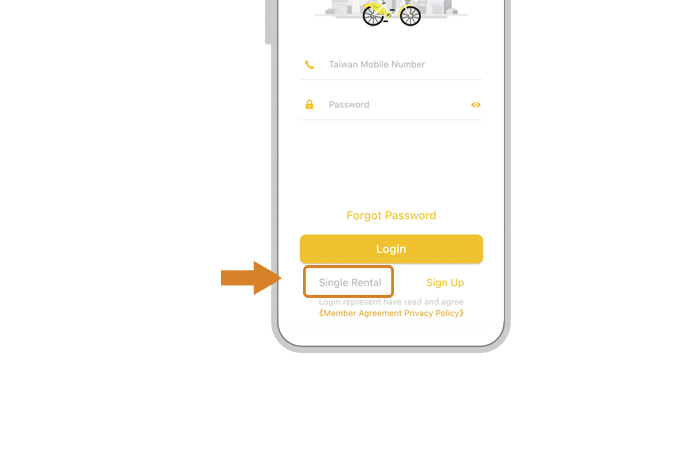
Click "Single Rental" at the bottom of the screen and follow the steps to link your credit card.Email verification is required to activate Single Rental.A confirmation email will include account details, card number, authorization period, and pre-authorization information.(Before riding, ensure enrollment in public bicycle injury insurance. Fees and regulations follow local government announcements.)
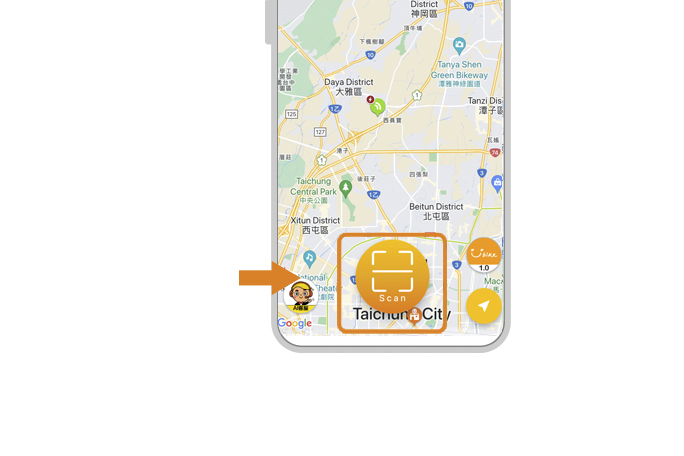
Return to the Home screen and click "Scan" below.
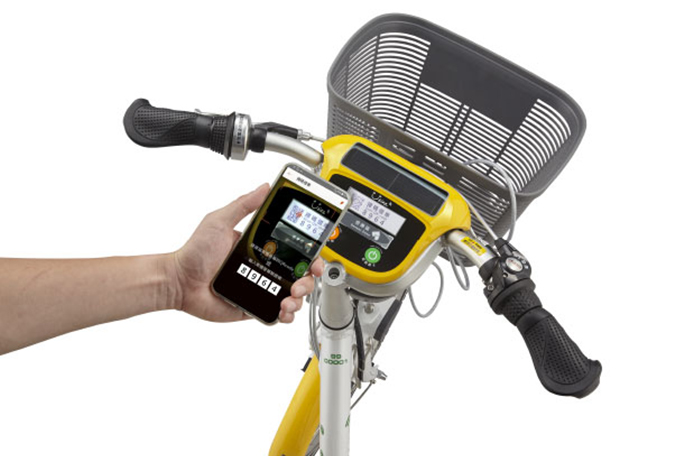
point it at the screen of the bike and scan the QR code or enter the verification code for unlocking (if unable to scan the QR code in bright light, enter the verification code to unlock).
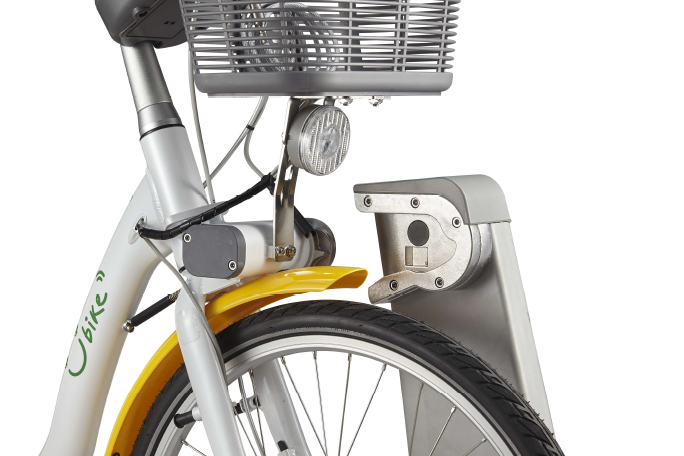
The "Pull the bike backwards" message appears on the screen. Hold the handlebars with both hands and pull back to get the bike.
How to return a bike
Check the App for Returning Your Bike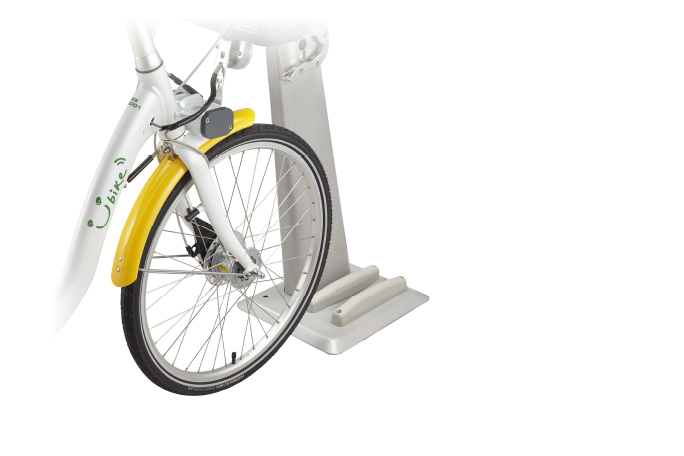
Align your bike's tires with the wheel alignment groove.
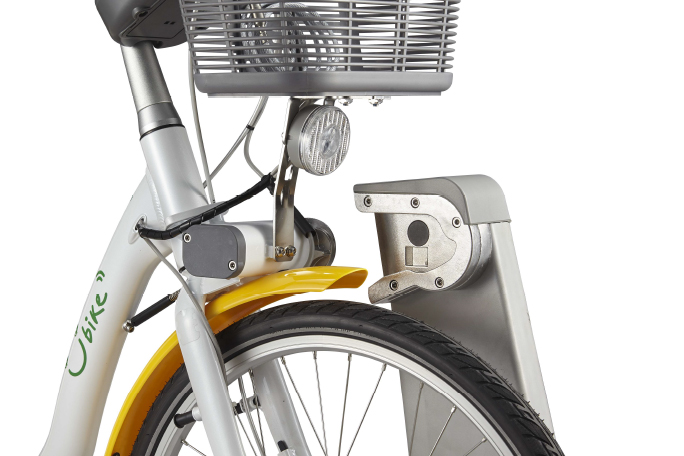
Insert the lock into the slot.
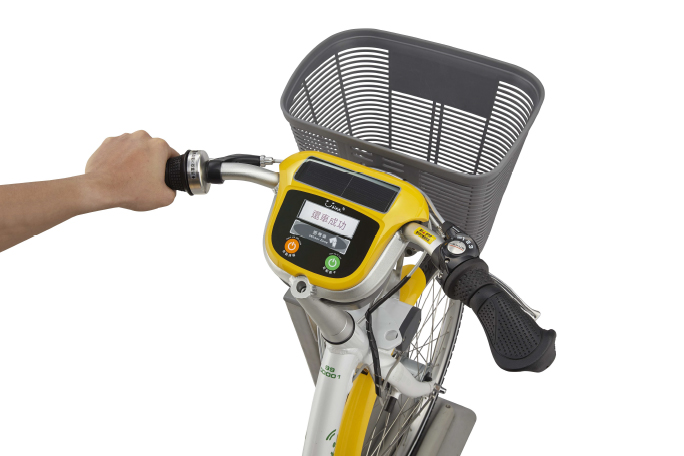
The screen showing "Thank You" means you have returned it.